Hands-On Multiplication Practice
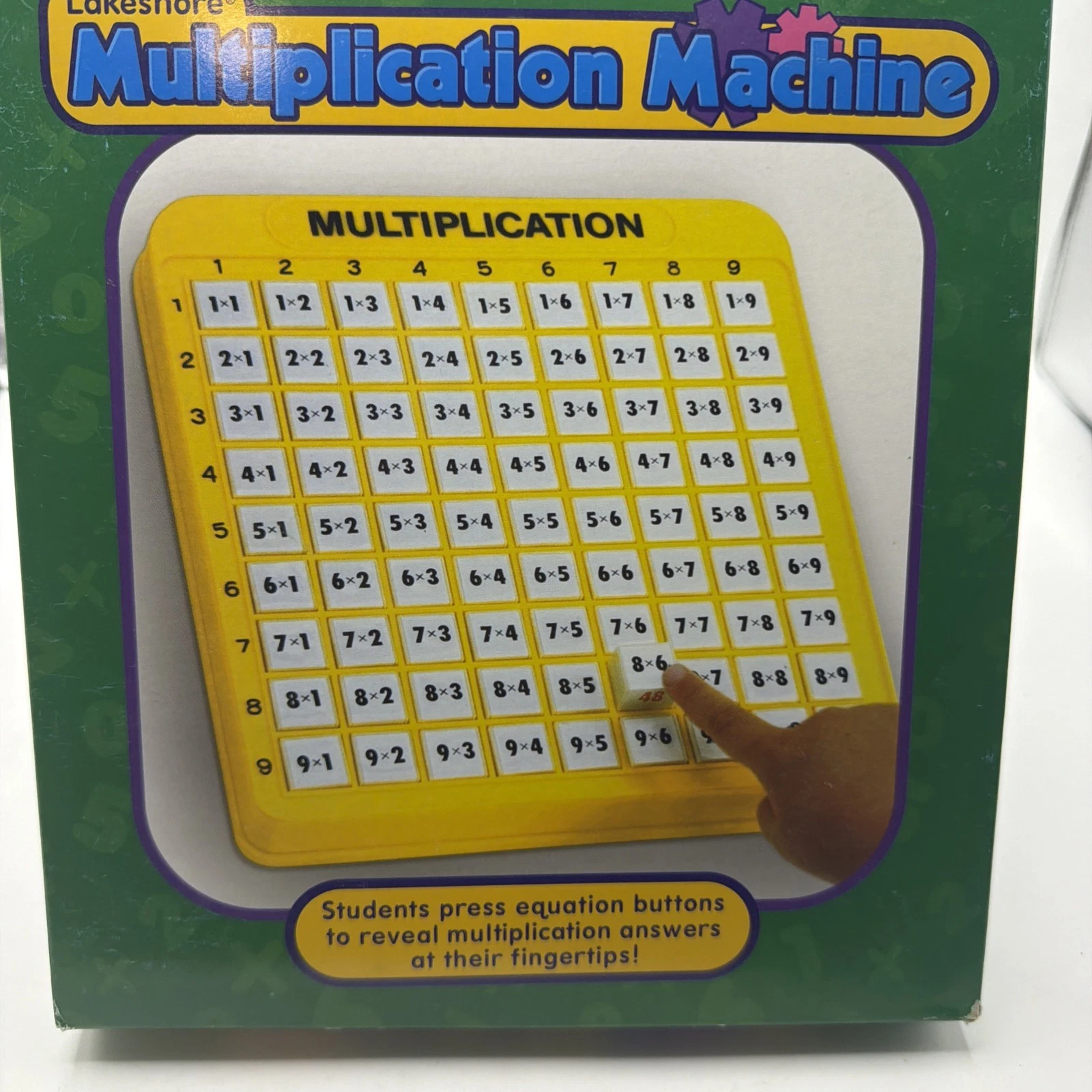
The Lakeshore Multiplication Machine LC1168 provides a simple, tactile way for children to review multiplication facts. Each of its 81 buttons displays an equation. Pressing a button reveals the answer, allowing the learner to check their response immediately.
This self-checking format lets children work through problems at their own pace without needing a separate answer sheet.
Practice Multiplication Facts from 1 Through 9
The machine organizes multiplication facts involving numbers 1 through 9 into an easy-to-view grid. Children can practice facts in order, concentrate on one number family, or select equations randomly for mixed review.
The complete grid contains 81 equation buttons securely held within the frame.
Immediate Answer Reinforcement
Children can think through an equation before pressing its button. The correct answer then appears, providing immediate feedback.
A correct response reinforces recall, while an incorrect response identifies a fact that may need additional practice. The product does not calculate entered numbers or record scores. It is a mechanical self-checking practice tool.
Suitable for Independent or Guided Learning
The straightforward press-and-reveal design is suitable for independent review. Parents, tutors, and teachers can also use the machine for:
• Multiplication warm-ups
• Individual learning stations
• Homeschool math practice
• Tutoring sessions
• Fact-fluency review
• Informal question-and-answer activities
Lakeshore recommends the product for ages 7 to 11 and grades 2 through 6.
Durable, Screen-Free Design
The equation buttons are secured inside a sturdy plastic frame measuring approximately 8.5 × 9.5 inches. The machine operates manually and requires no batteries, charging, internet connection, or application.
Its single-piece design also eliminates the need to organize separate flash cards or answer tiles after practice.
Key Features
• Self-checking multiplication practice machine
• Official Lakeshore item number LC1168
• 81 built-in equation buttons
• Practices multiplication with numbers 1 through 9
• Press-and-reveal answer mechanism
• Immediate feedback without a separate answer sheet
• Recommended for ages 7 to 11
• Suitable for grades 2 through 6
• Supports independent or adult-guided practice
• Sturdy plastic construction
• Approximate 8.5 × 9.5-inch frame
• Single-piece tabletop design
• No loose equation cards or counters
• No batteries or electronic accessories required
• Suitable for home, classroom, tutoring, and homeschool use
The model, age, grade range, equation-button count, dimensions, material, and self-checking feature are confirmed by Lakeshore.
How to Use
1. Place the Multiplication Machine on a flat tabletop or desk.
2. Select a multiplication equation from the grid.
3. Work out or say the answer before pressing the button.
4. Press the equation button to reveal the correct answer.
5. Compare the revealed answer with the learner’s response.
6. Release the button and continue with another equation.
7. Practice one multiplication family at a time or select equations randomly for mixed review.
8. Repeat facts that require additional practice.
The machine is intended as a practice and reinforcement tool. It does not replace instruction in multiplication concepts or strategies.
Package Contents
• 1 Lakeshore Multiplication Machine with 81 secured equation buttons
No flash cards, worksheets, batteries, storage case, or additional math machines are confirmed as included.